Who came onto your sites, who worked there, and for how long.
Two applications: one for sites that receive visitors, one for teams working away from the office. Entries and hours are recorded as they happen, then returned as exportable statements.
Hosting of your choice, including on your own servers
Works with no Internet access
What we can demonstrate
None of these lines asks you to take our word for it: each one can be checked during a demonstration.
2
solutions in production
3
installation modes, one of them offline
100%
of your data exportable, as CSV and PDF
0
records withheld or destroyed by the vendor, under any circumstance
The situation
What a paper log cannot establish.
Hours declared, never observed
A sheet signed in advance, a colleague clocking in for someone else, a late arrival corrected afterwards: payroll rests on statements nobody can verify.
An entry log nobody can use
The gate book gets crossed out and lost. Answering “who came in on Tuesday morning” means leafing through it page by page.
Sites that never consolidate
Each site keeps its own paperwork. A monthly view of the whole takes a day of re-entry, and re-entry brings its own mistakes.
Data hosted without a decision
The identities of your staff and your visitors end up on servers whose operator, country and retention period you do not know.
Our solutions
Two scopes, a single installation.
They share the same database, the same sites and the same accounts. You may deploy only one of them.
The entry log, kept at the gate desk and readable from head office.
Head offices, branches, industrial sites, schools and health facilities, public bodies — anywhere visitors and contractors are received.
1
When the visitor arrives
The officer photographs the identity document; the fields fill themselves by automatic reading. The processing happens on the device, and the image is sent to no outside service.
2
Before access is granted
On-screen signature, purpose of the visit, person being visited and entrance used are recorded and time-stamped.
3
During and after the visit
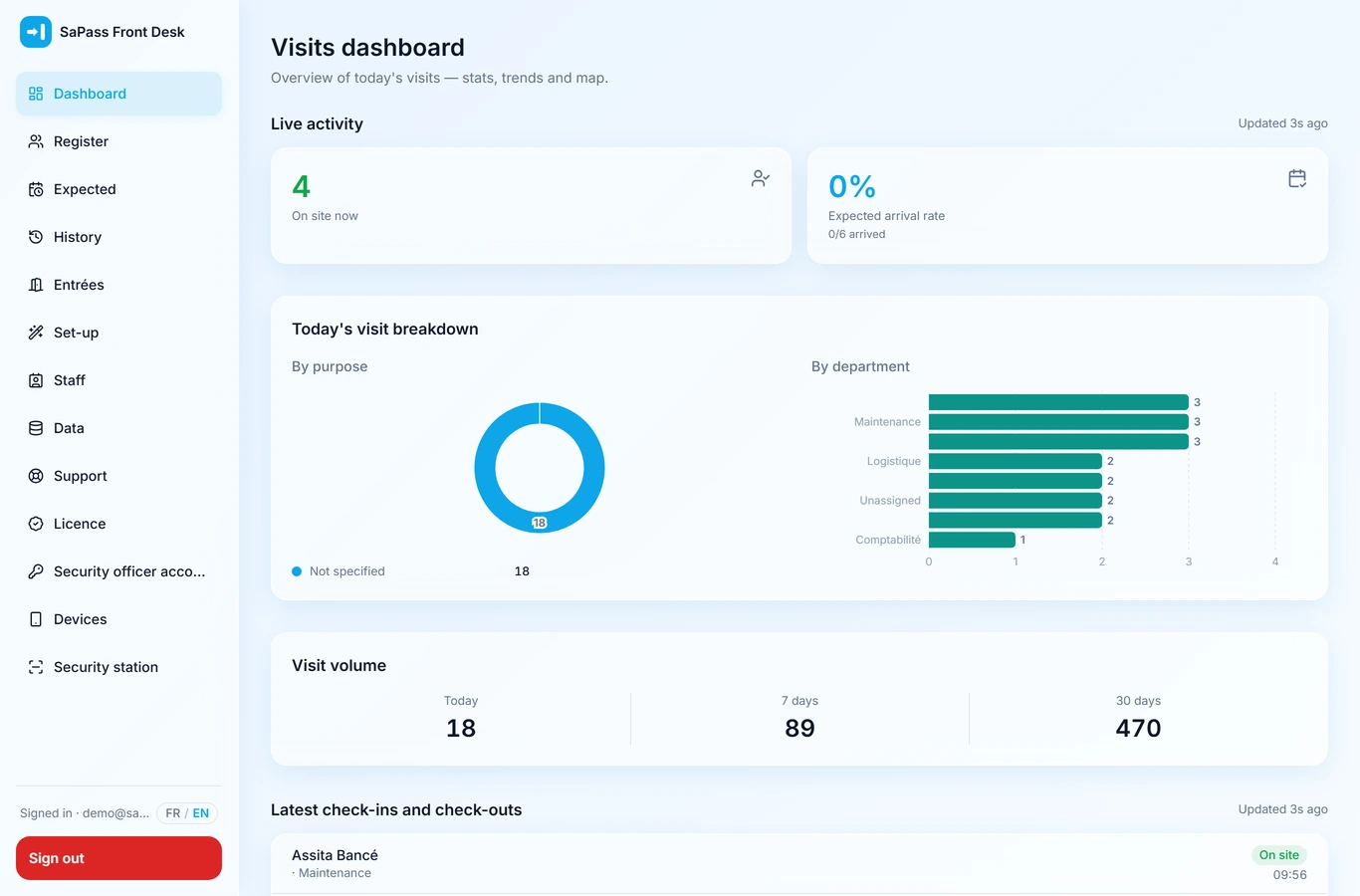
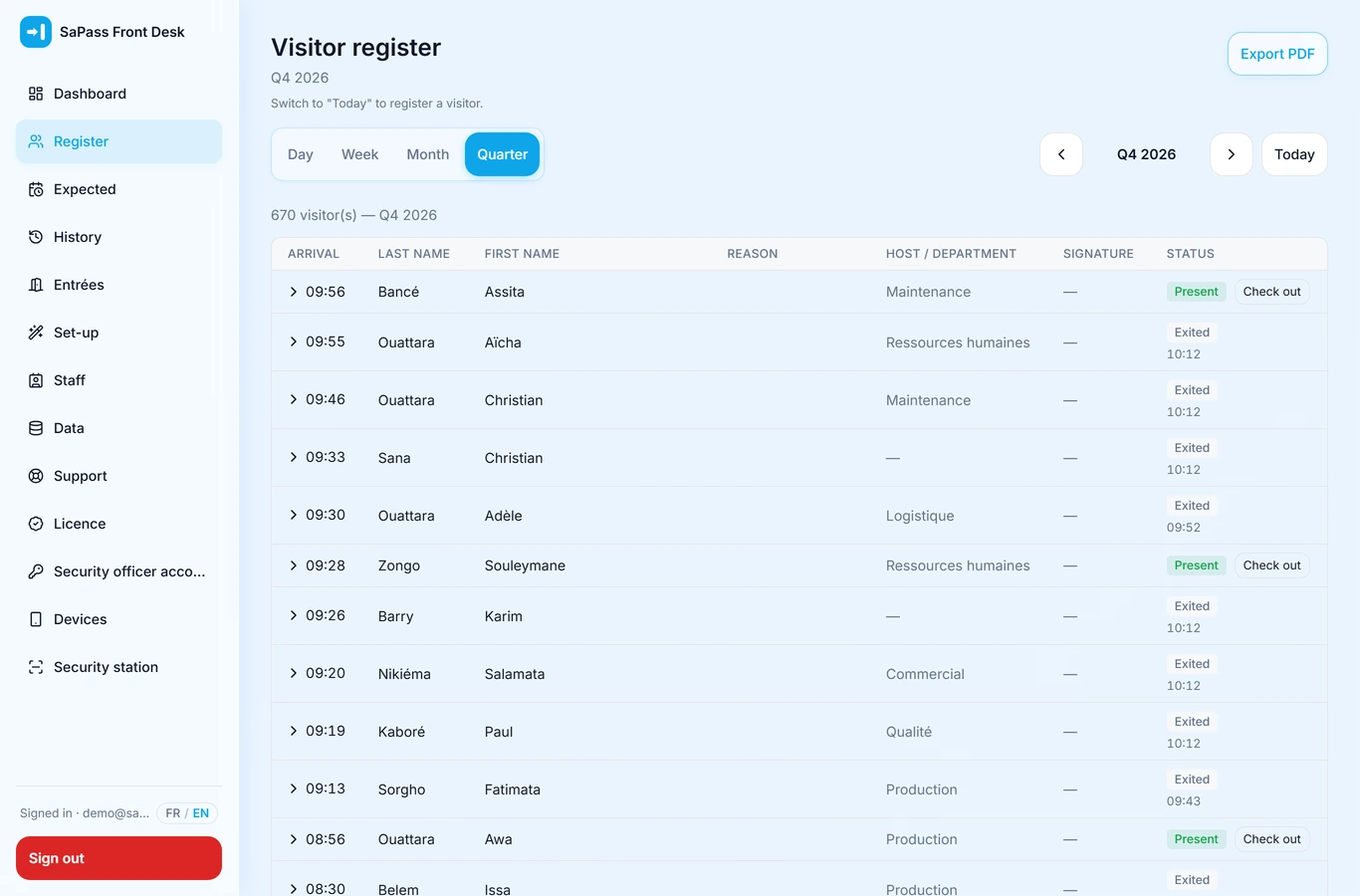
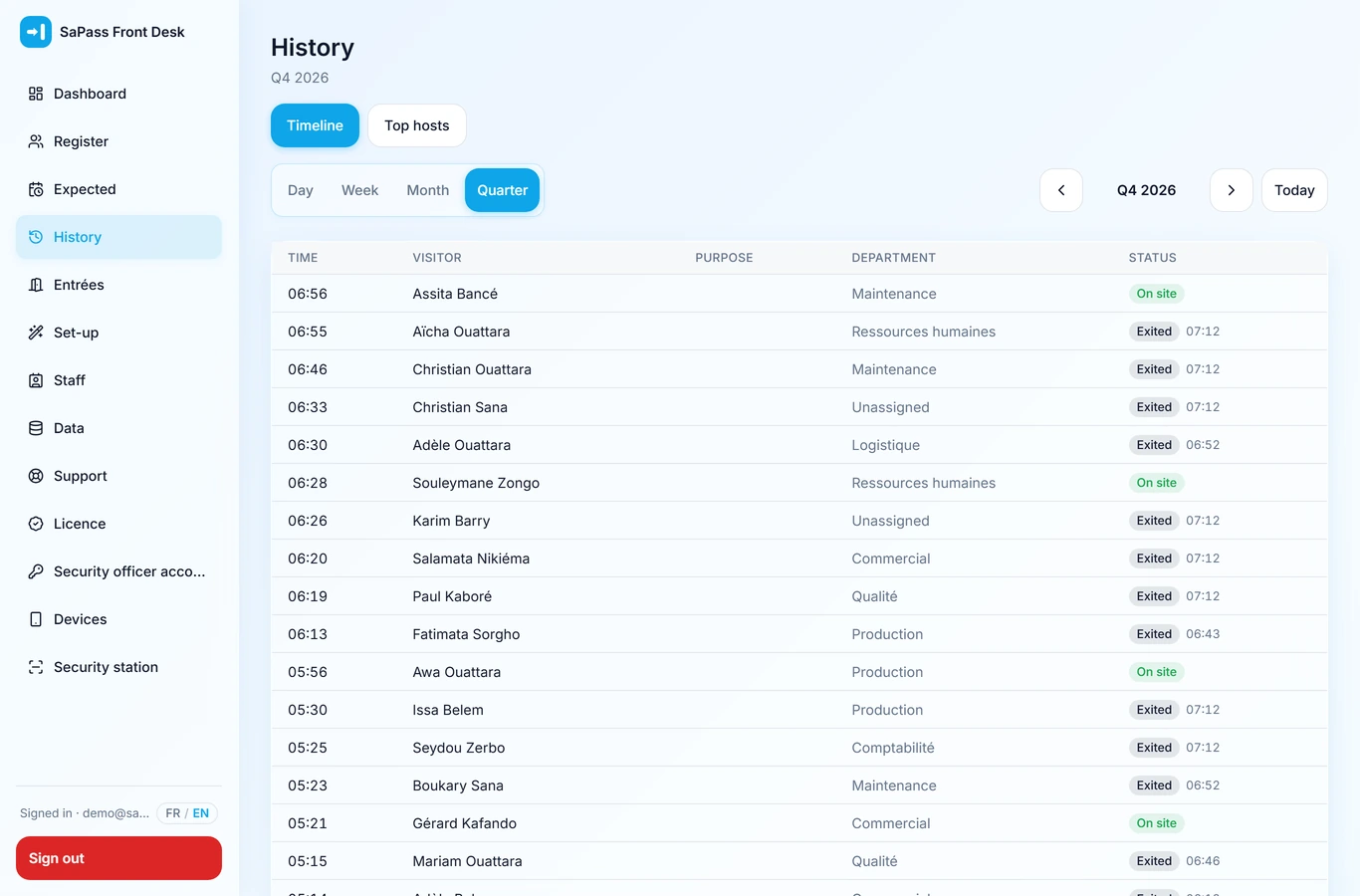
Who is on site, where, and for how long can be read live. The history stays searchable by period and exportable.
Automatic reading of the identity document, performed on the device
Handwritten signature and recorded consent
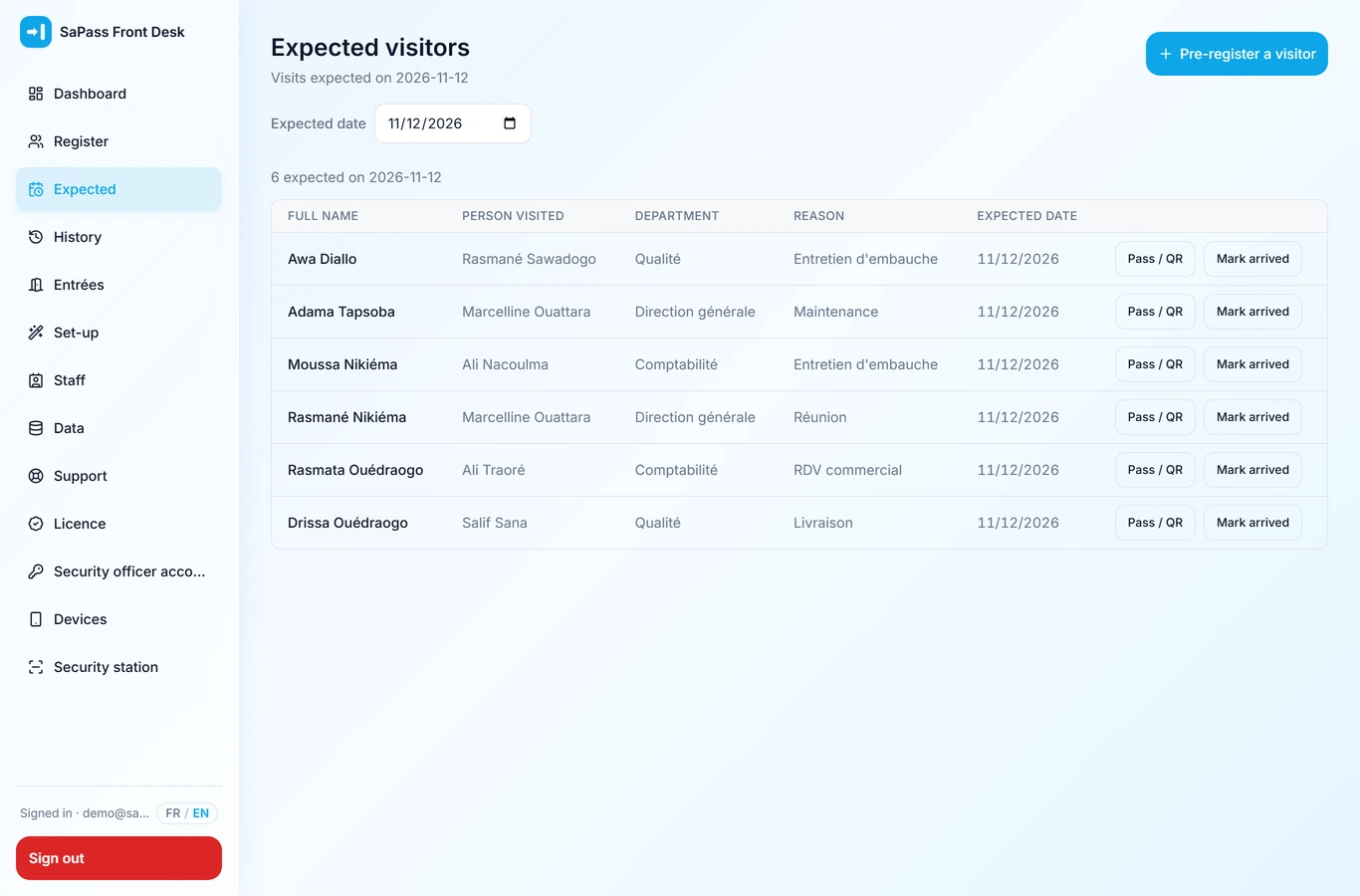
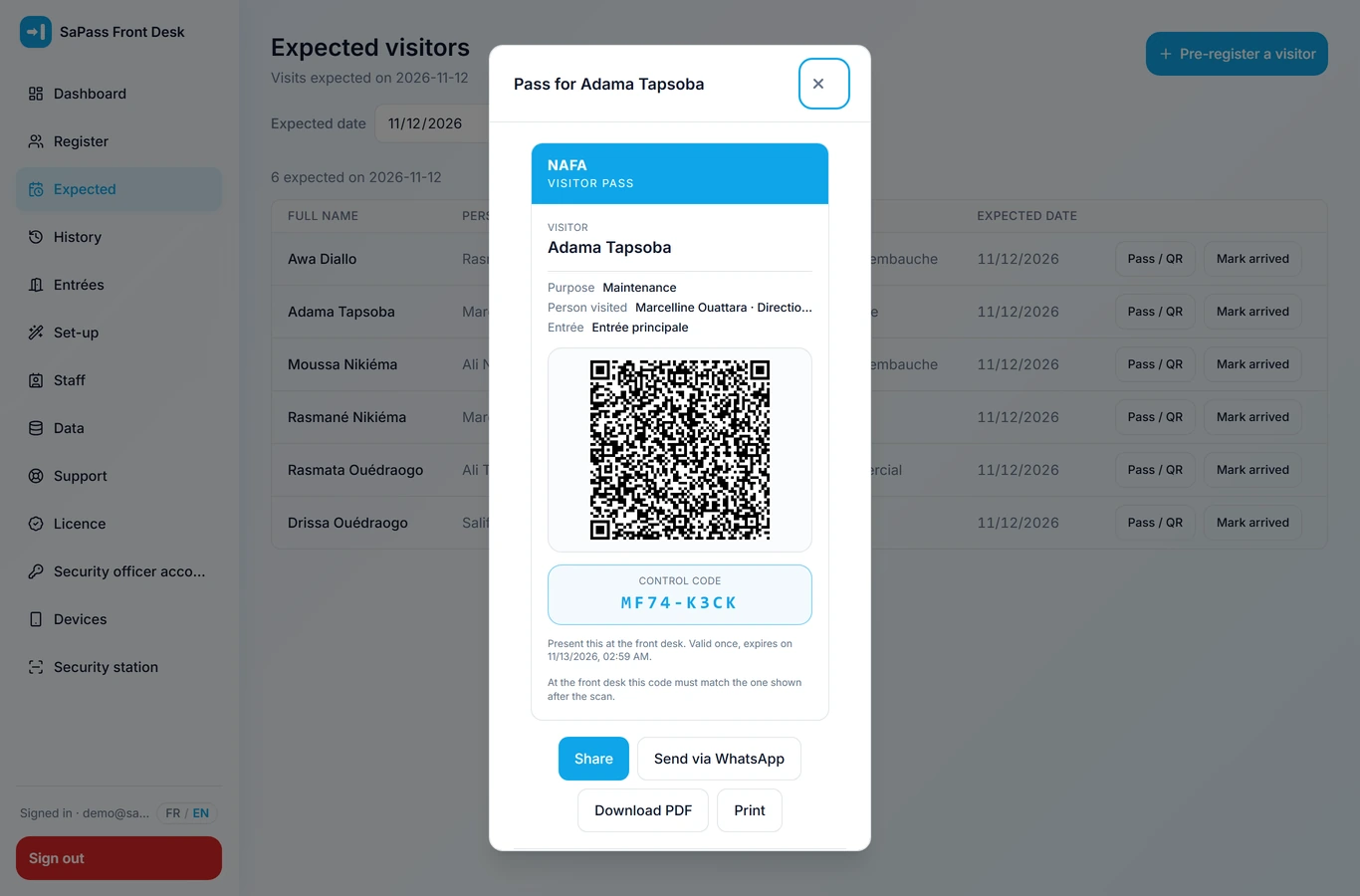
Expected visitors and single-use QR passes, sent in advance
Clock-in verified by the server, which nobody can perform on an employee’s behalf.
Security services, construction, retail, industry, logistics — organisations whose teams work away from a single office.
1
At the start of the shift
The employee scans the QR code displayed on their site. The server checks the location and the assignment to that site before recording the clock-in.
2
On the identity of the account
The number of devices allowed per account is set by the company, and only one session stays open at a time. Account sharing stops being invisible.
3
At the end of the period
Late arrivals, absences and hours worked are calculated from your reference schedules, then exported for payroll.
Clock-in by site QR code, location checked on the server
Number of devices per account set by the company
Schedules, teams and departments
Calculation of late arrivals, absences and hours worked
Leave requests submitted and approved in the tool
Dashboard, CSV exports and PDF reports
This solution runs in production at our clients’ sites. Its screens are shown during the demonstration, on your own data if you wish.
The mobile applications
The reception desk and the clock-in also run as installed applications, including with no network. The web log opens in a browser and installs from it in one gesture.
SaPass Front Desk
Gate desk: record entries and exits, even with no network.
Google PlayComing soonApp StoreComing soon
SaPass Attendance
Field teams: clock in and out at the place of work.
Google PlayComing soonApp StoreComing soon
Screens
The screens, as they are in production.
Ten screenshots taken inside the application. Scrolling pauses on hover.
Dashboard
Visitor log
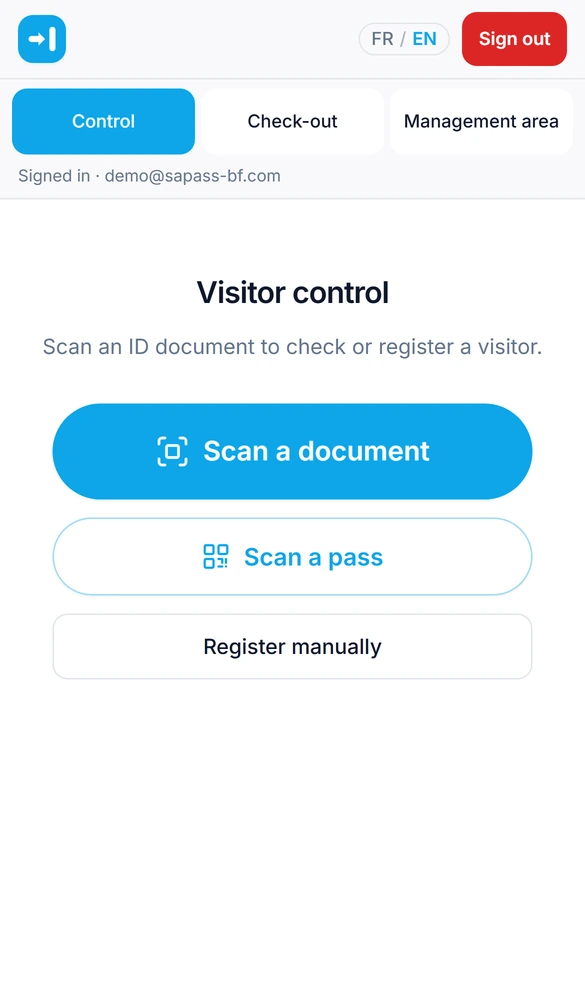
Gate desk
Expected visitors
Pass with QR code
Dashboard
Visitor log
Gate desk
Expected visitors
Pass with QR code
Sites and entrances
Log on a phone
History
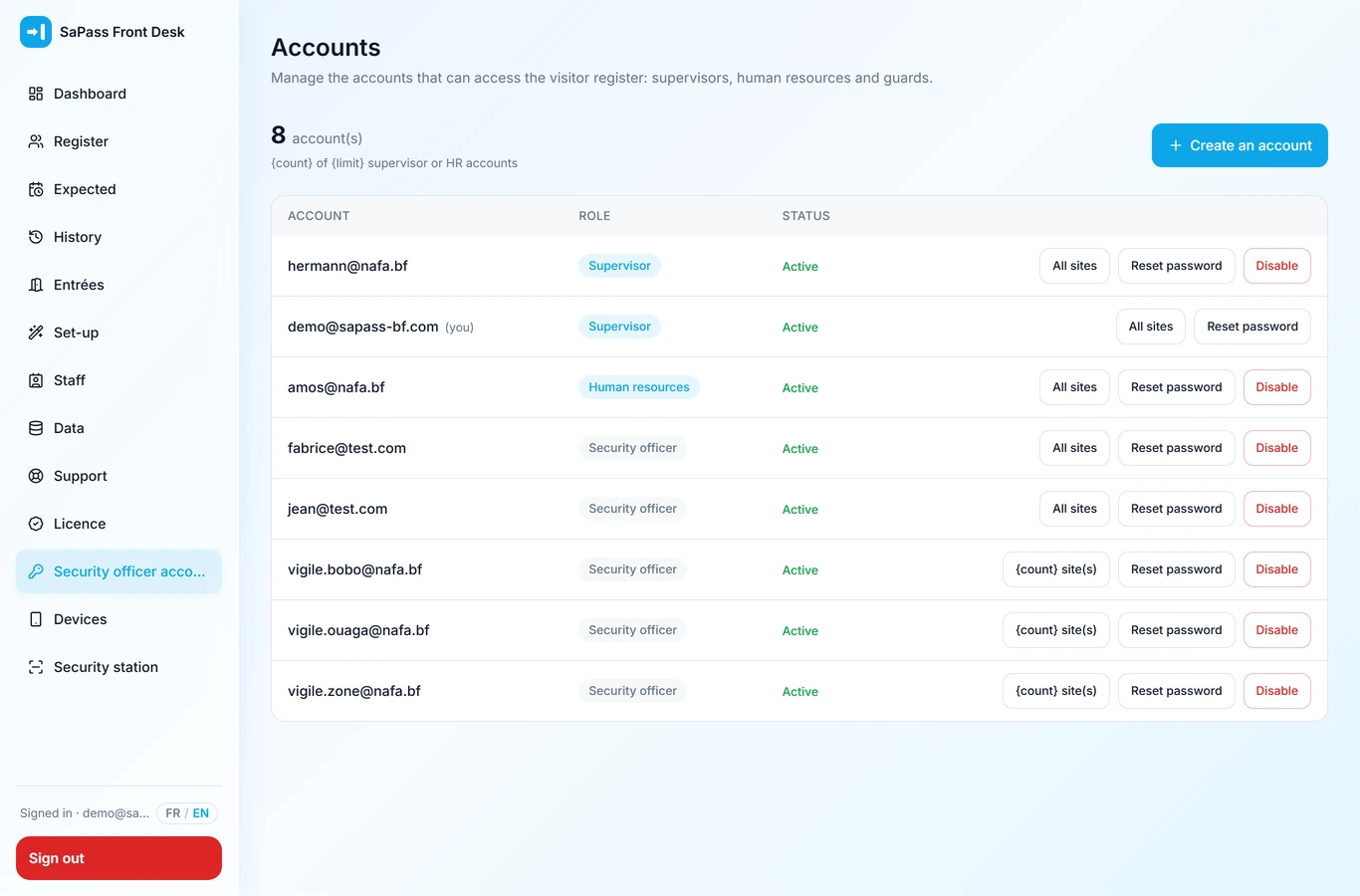
Officer accounts
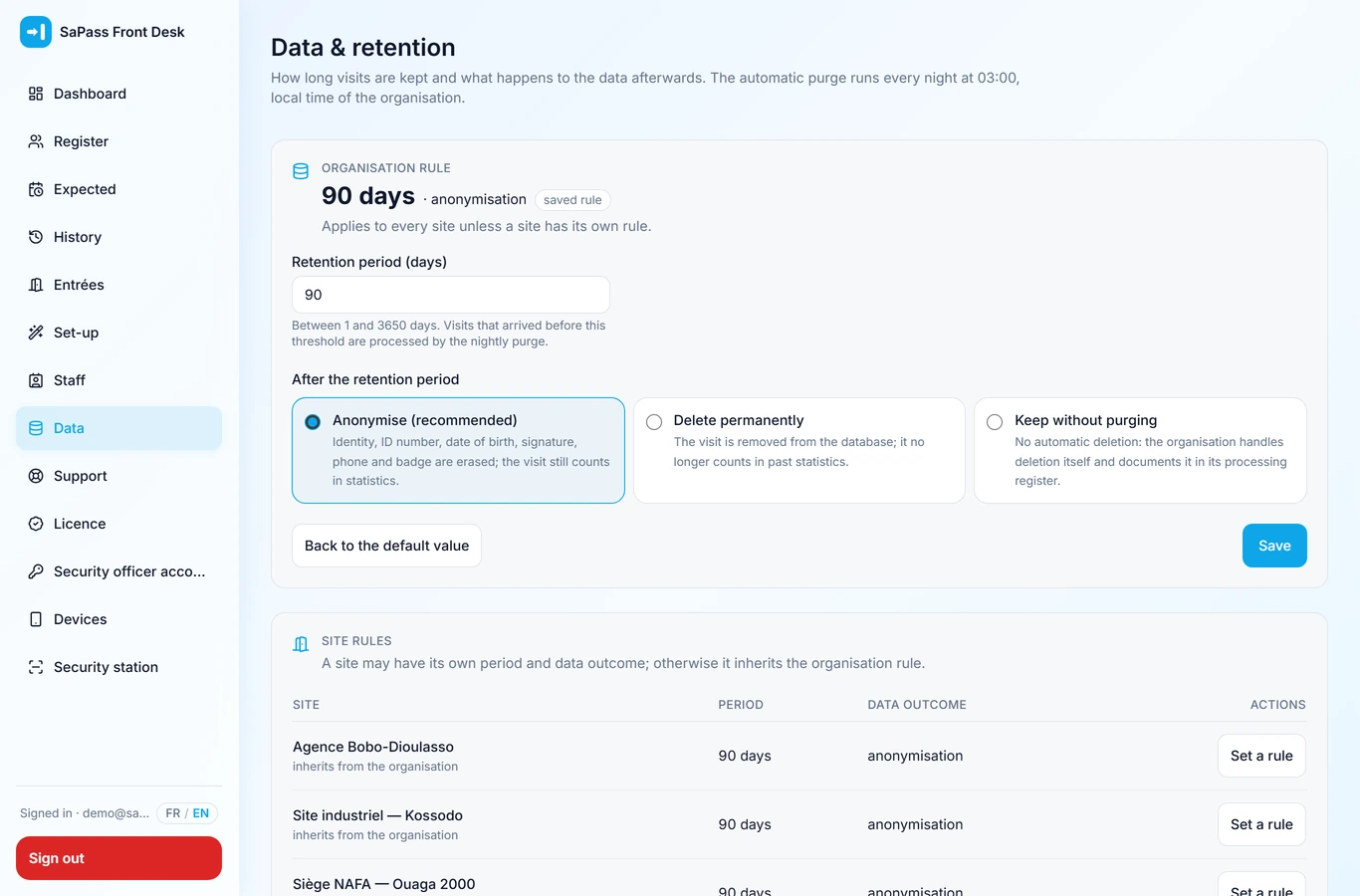
Data retention
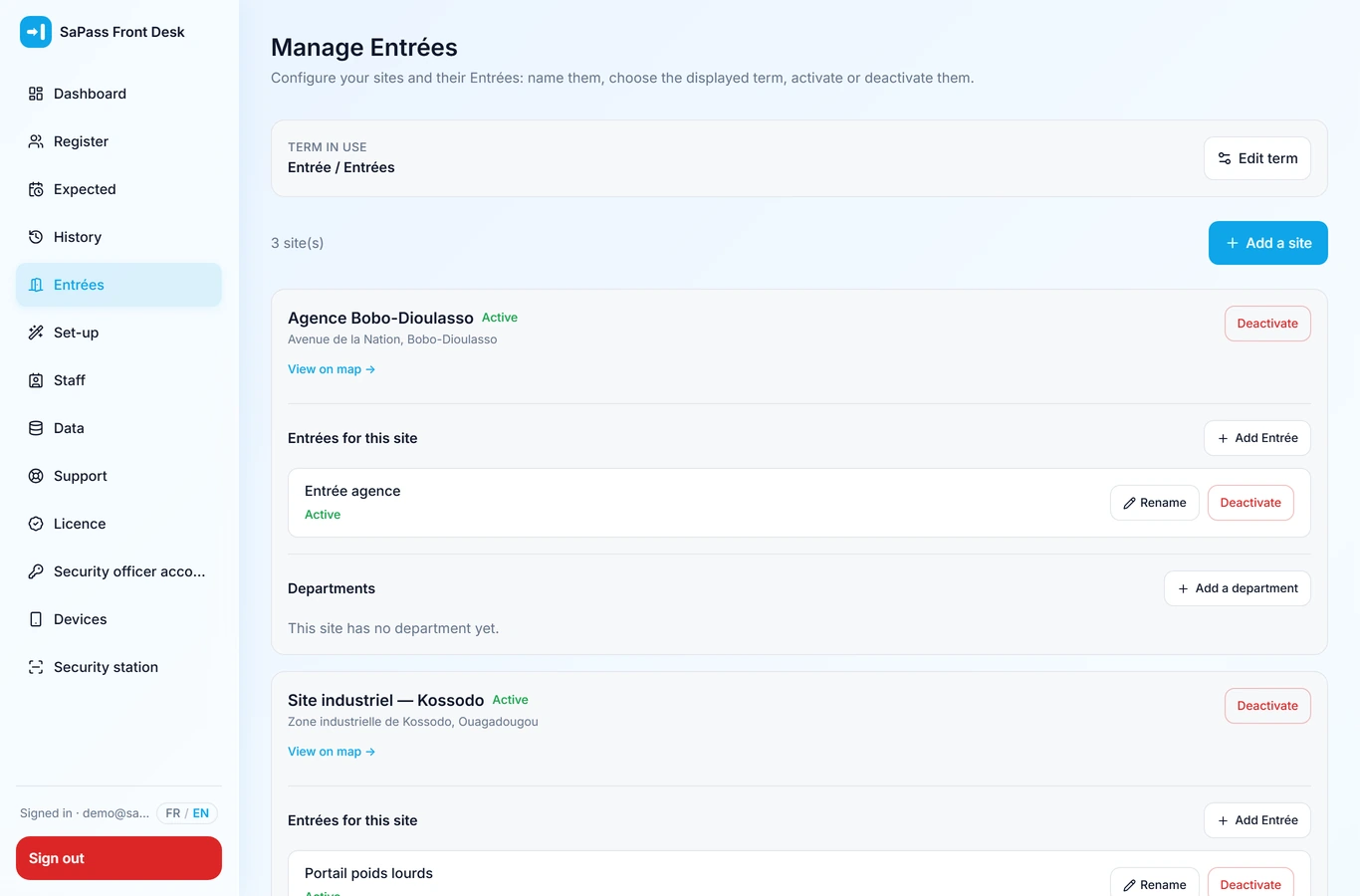
Sites and entrances
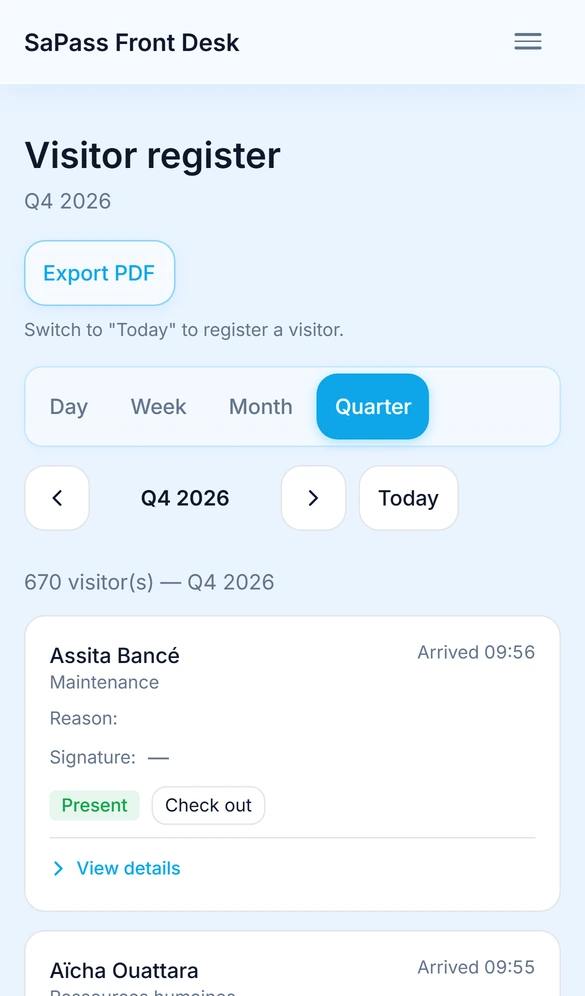
Log on a phone
History
Officer accounts
Data retention
Real screenshots, taken in the English interface. The names and figures come from a demonstration dataset and refer to no real person.
Compare
Which one answers your need?
Both solutions share your sites, your accounts and your access rights. One can be deployed on its own and the other added later, with no data migration.
Comparison of SaPass Front Desk and SaPass Attendance, criterion by criterion
Criterion
SaPass Front Desk
SaPass Attendance
The question it answers
Who entered the site, when, and for what purpose?
Who worked, at which site, and for how long?
Day-to-day user
The officer at the gate desk
Every employee concerned
People tracked
Visitors and contractors
Staff
Action in the field
Reading the identity document
Scanning the site QR code
Anti-fraud control
Single-use pass, time-stamped signature
Location checked, devices capped, single session
What comes back out
Log, PDF passes, CSV exports
Hours, late arrivals, absences, CSV exports
Time to go live
Half a day
Half a day
Rollout
In service within half a day.
1
Scoping and installation
Your sites, entrances and accounts are created with you. Allow half a day.
2
Getting the teams started
Nothing to install from an app store: the application is added to the phone home screen.
3
Daily operation
The gate desk records, employees clock in. No re-entry.
4
What you get back
A live dashboard, CSV exports and PDF reports on your letterhead.
Where your data lives
Three installation modes, one application.
The choice is yours and it is reversible: in all three cases the data exports in full.
Hosted by SaPass
Fast start
Your teams sign in from a browser. We handle operation, backups and updates.
Live immediately
No system administration on your side
Backups and monitoring included
On your own infrastructure
Control over the data
The whole solution installs on a machine you own. No data leaves your network.
Data kept within your walls
No dependency on a third-party service
Installation, training and documentation provided
Isolated site, no Internet
Security or coverage constraint
The installation works with no outside access at all. Licences and updates travel as files, on physical media.
Fully offline operation
Activation by signed file
Updates delivered on media
Security and confidentiality
What we forbid ourselves from reaching.
The identity document never leaves the device
The reading is performed locally. The image is sent to no outside recognition service.
Separation between companies
Every request is filtered by company on the server, and that isolation is checked by a dedicated test suite before each release.
Account identity under control
The number of devices per account is capped and set by you; a new sign-in closes the previous one.
Retention period decided by you
Purging is automatic and configurable, with a choice between anonymisation and deletion. The full export stays available.
Operations log
Creations, exports and deletions are recorded with their author and timestamp, without copying any personal data into them.
Frequent questions
The questions asked before deciding.
Do the teams need recent phones?
No. The application runs in the browser of most phones in circulation and is added to the home screen without going through an app store. There is no dedicated terminal to buy.
What happens when the connection is poor?
The gate desk and the clock-in are designed for an intermittent network. Installed on your own server, the solution works over your local network: the Internet connection no longer comes into it.
Where is our data hosted?
Wherever you decide: on our servers, or on a machine you own. In the second case no data leaves your network, and we have no access to it.
In which countries is SaPass offered?
In Burkina Faso and across West Africa, with a French-speaking contact; elsewhere, on review. Installed on your own server, the solution depends on no country and no connection: it works where you are.
Can one employee clock in for another?
They have to be on site: the QR code and the location are checked by the server. The number of devices per account is capped as well, and only one session stays open at a time.
How long does it take to go live?
Half a day for the installation, creating the sites and creating the accounts. Allow ten minutes of hands-on time per officer.
Can we take only one of the two solutions?
Yes. Several organisations start with the visitor log and add the clock-in later. Both share your sites and your accounts: adding one requires no data migration.
What is the quote based on?
On the number of sites, the headcount concerned and the installation mode chosen. Send us those three figures and we come back with a priced proposal.
How do we reach you after the installation?
From your own workspace, by opening a support ticket. It reaches us with the context of your installation: you have nothing to explain again.
What becomes of our installation if we stop working with you?
It depends on your contract, and we would rather write it here than discover it together. Under a perpetual PURCHASE, the installation keeps working with no end date: we have no way of suspending it remotely. Under a SUBSCRIPTION, the application turns read-only at the term — no new entries, but consultation and the full export (CSV and PDF) stay open. In both cases we neither withhold nor destroy your data.
Get in touch
Describe your situation.
We come back to you with a priced proposal and, if you wish, a demonstration run on your own cases.